- Aug 29 Tue 2017 20:42
-
【D3JS】樹枝圖回到原本大小
- Mar 22 Tue 2016 10:27
-
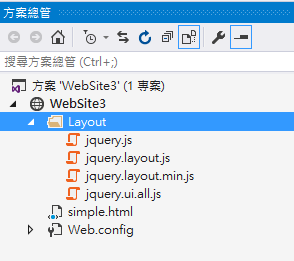
【D3.js】檔案找不到 錯誤
- Mar 18 Fri 2016 01:29
-
【D3.JS】繪製台灣地圖
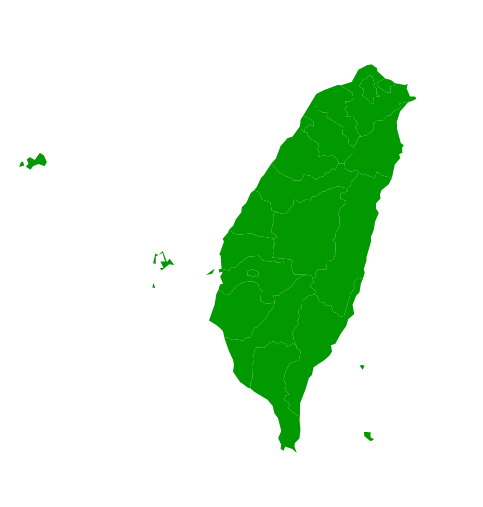
<!doctype html>
<svg width="800px" height="600px" viewBox="0 0 800 600"></svg>
<script type="text/javascript" src="http://d3js.org/topojson.v1.min.js"></script>
<script src ="http://d3js.org/d3.v3.min.js"></script>
<script type="text/javascript" src="county.js"></script>
<script>
var features = topojson.feature(topodata, topodata.objects["county"]).features;
// 這裡要注意的是 topodata.objects["county"] 中的 "county" 為原本 shp 的檔名
var path = d3.geo.path().projection( // 路徑產生器
d3.geo.mercator().center([121,24]).scale(6000) // 座標變換函式
);
d3.select("svg").selectAll("path").data(features)
.enter().append("path").attr("d",path);
for(item=features.length - 1; item =0; item -- ) {
item.properties.density = data[item.properties.C_Name];
}
var color = d3.scale.linear().domain([0,10000]).range(["#090","#f00"]);
d3.select("svg").selectAll("path").data(features).attr({
d: path,
fill: function(d) {
return color(Math.random()*100);
}
});
</script>
- Mar 16 Wed 2016 20:15
-
【D3.js】Enter、Update 和 Exit
- Mar 15 Tue 2016 00:56
-
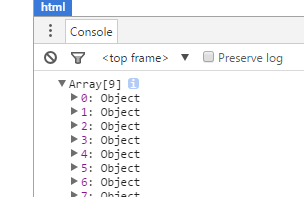
【D3.js】Access-Control-Allow-Origin 錯誤
前言:
對於讀資料,google chrom 一直出現錯誤,網路上範例明明就是直接寫" d3.json("project2_level.json",function(data){ "
- Mar 15 Tue 2016 00:07
-
【D3.js】Tree 範例

- Mar 08 Tue 2016 10:52
-
【D3.js】新手學習之路
前言:
我完全是新手,甚至不熟悉javascript、html,因此身為新手的我,將要把學習的路程記錄在此。一開始我一直思考要用什麼編譯器(eclipse?Visual Studio?)最後執行我一貫的實作派,先看得見成果再說!於是我直接新增文件副檔名用.html跑瀏覽器。
我完全是新手,甚至不熟悉javascript、html,因此身為新手的我,將要把學習的路程記錄在此。一開始我一直思考要用什麼編譯器(eclipse?Visual Studio?)最後執行我一貫的實作派,先看得見成果再說!於是我直接新增文件副檔名用.html跑瀏覽器。
1
